Settings
1. Introduction
Use the Settings page to manage Agivar's local preferences, keyboard shortcuts, purchase history, software updates, and more.
Click the gear icon in the window to open the Settings dialog.
From Settings, you can change the default storage path, enable or disable Full Screenshot Mode, view purchase history, customize keyboard shortcuts, and check for software updates.
For information about recording history, see Recording and Screen Recording. It is not covered in detail on this page.
2. General settings
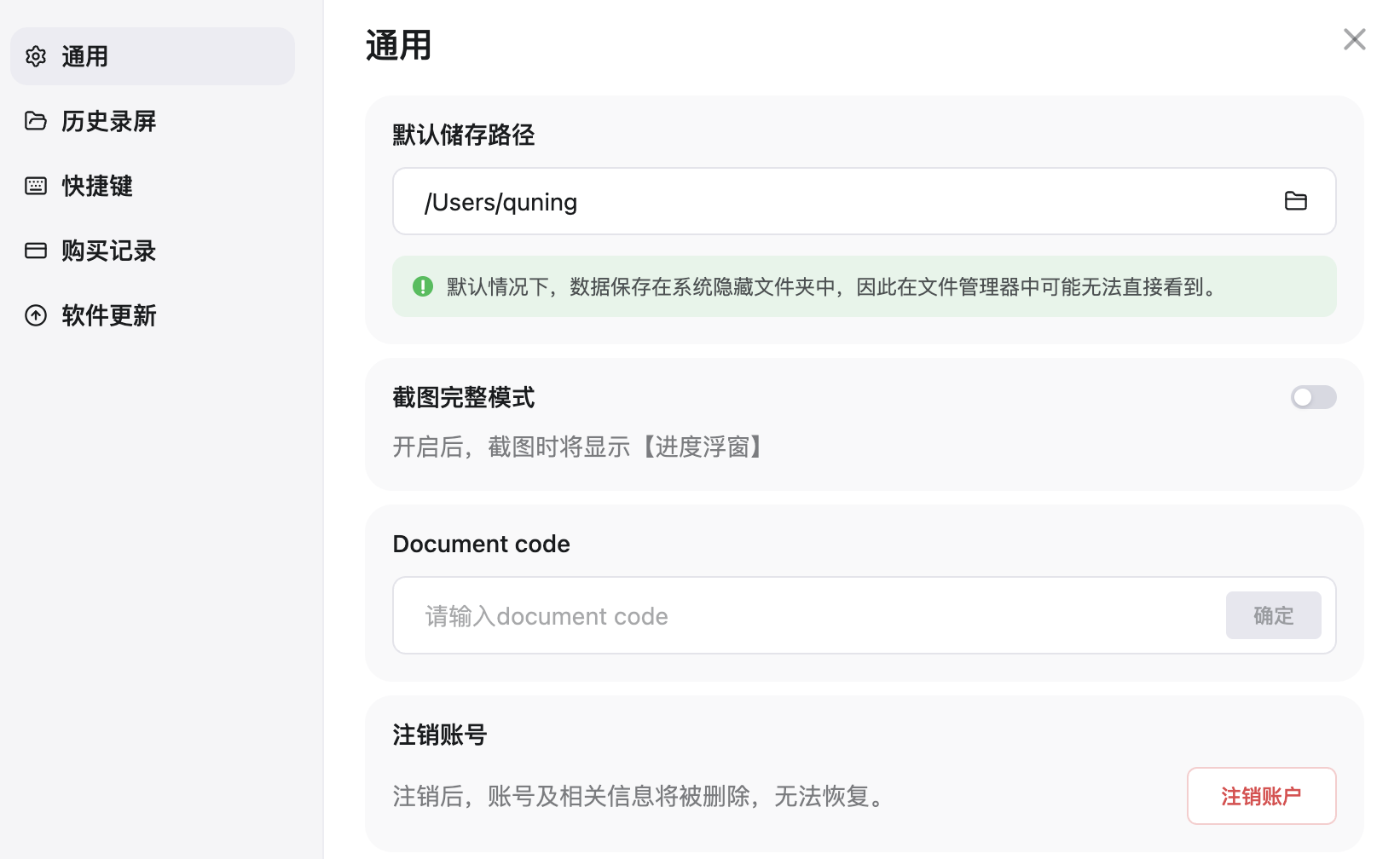
Click General on the left to manage Agivar's basic settings.
-
Default storage path: determines where Agivar saves local files. Click the folder icon to the right of the input box to choose a new location.
-
Full Screenshot Mode: controls whether progress overlays appear in screenshots. When enabled, screenshots include the progress overlay; when disabled, these overlays do not appear. This option is useful for demonstrations, livestreams, or troubleshooting screenshot issues.
-
Document code: mainly intended for developers or support staff when needed. Regular users can ignore it. If support provides a document code, enter it in the input box and click Confirm.
-
Delete account: click Delete Account to delete the current account. The account and its associated information cannot be recovered after deletion, so make sure you no longer need it before continuing.
3. Recording history
Click Recording History on the left to view and manage saved recordings.
For instructions on viewing, playing back, and deleting recordings, see Recording and Screen Recording.
4. Keyboard shortcuts
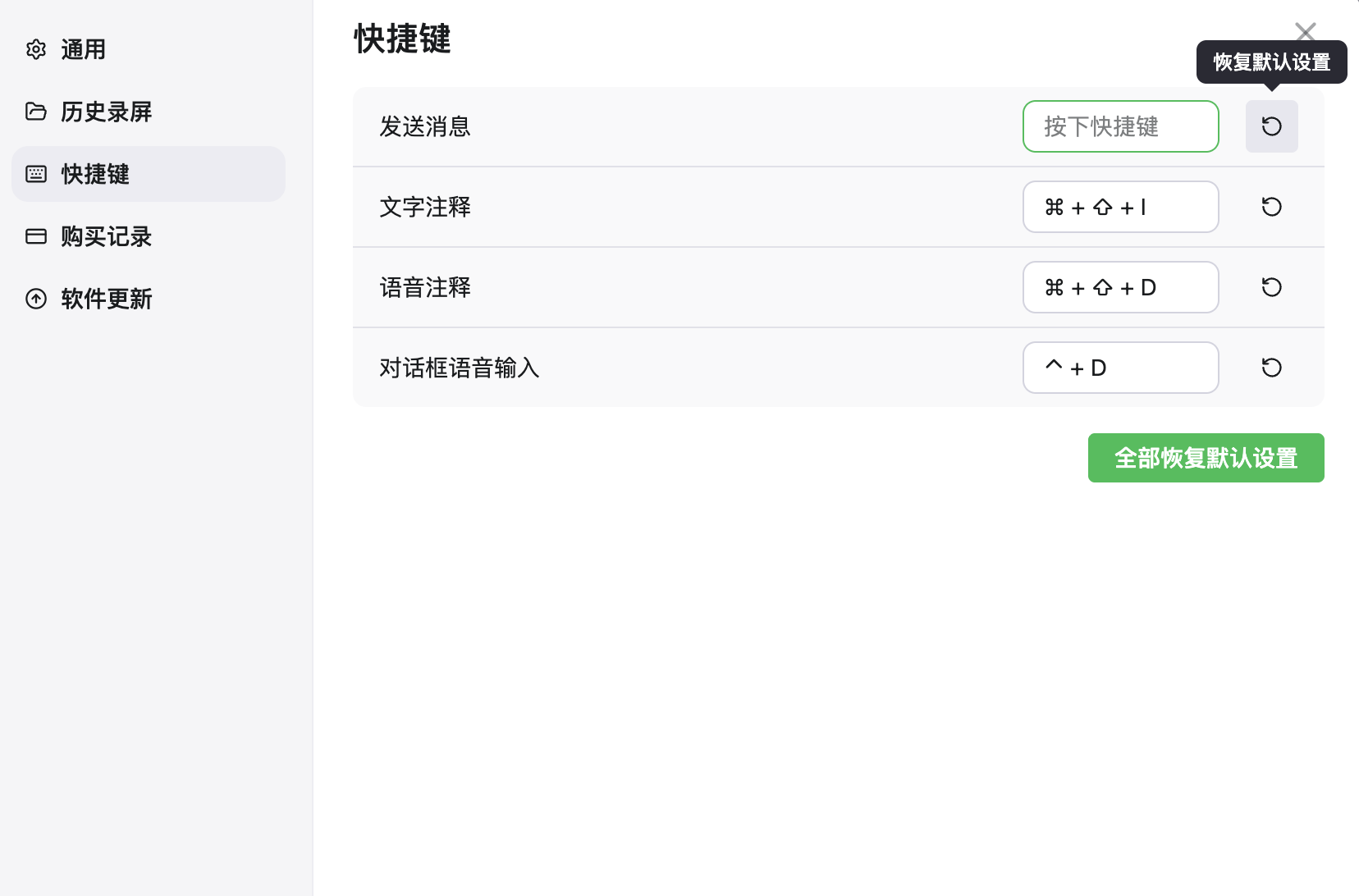
Click Keyboard Shortcuts on the left to view and customize shortcuts for common Agivar operations.
-
Change a shortcut: click the shortcut input box and press a new key combination.
-
Restore one shortcut: click the restore button at the far right of a row to reset that shortcut to its default.
-
Restore all shortcuts: click Restore All Defaults in the lower-right corner to reset every shortcut.
5. Purchase history
Click Purchase History on the left to view purchases for the current account.
Purchase history shows the order number, subscription type, price, and purchase time. If the current account has no purchases, the page displays No purchase history.
6. Software updates
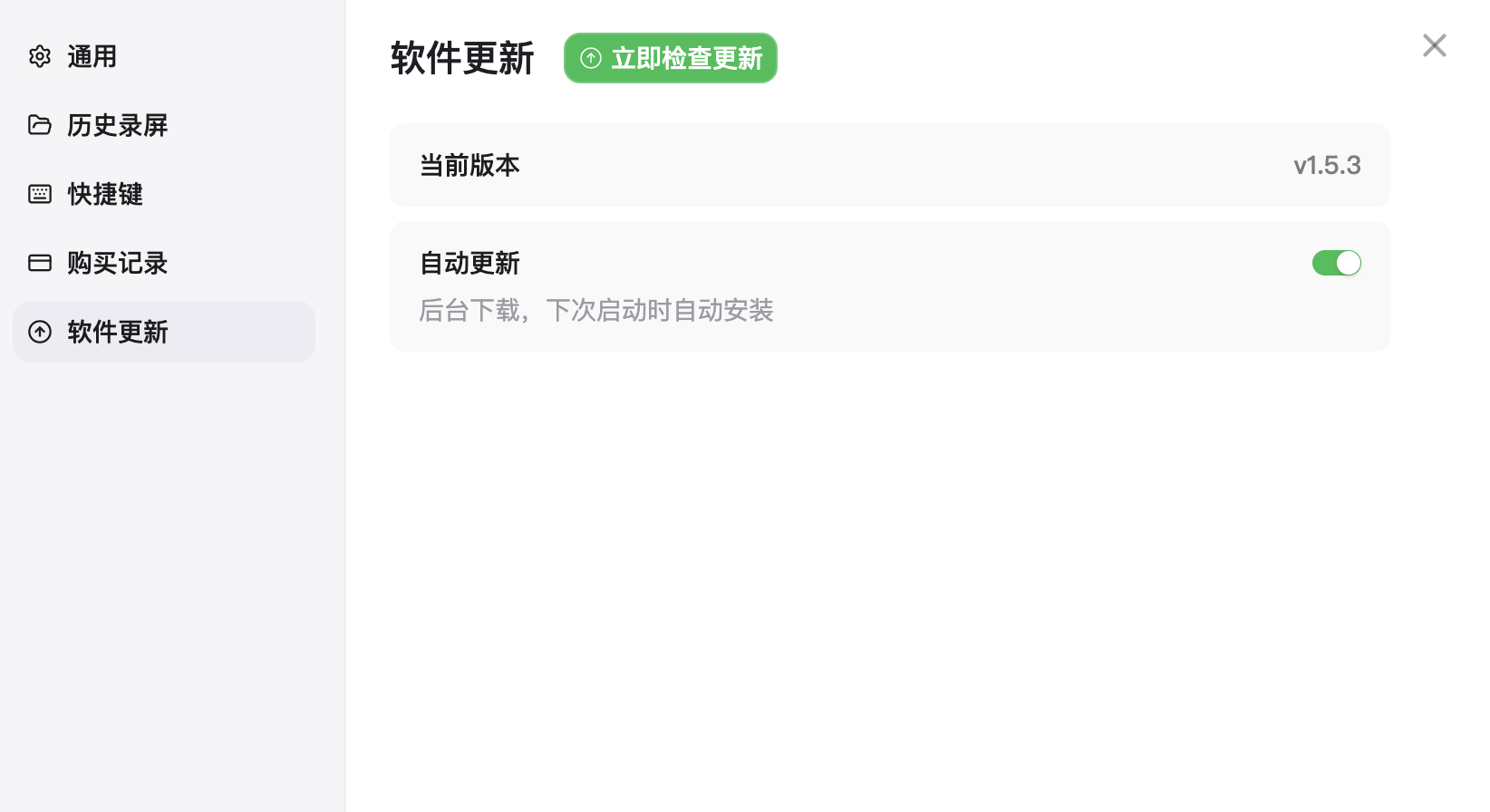
Click Software Update on the left to view the current version and check whether a new version is available.
-
Check manually: click Check for Updates Now to check whether a new version can be installed.
-
Automatic updates: when Automatic Updates is enabled, Agivar downloads updates in the background and displays an update prompt the next time it starts.
Language
On the home page, click the gear icon and then click Language to switch the interface language between English and 中文. The change takes effect immediately and is saved locally in ~/.agivar/settings.json for the next launch.
Note: interface text follows this setting. The language of AI replies mainly follows the language you use when talking to it.
Log out
On the home page, click the gear icon and then click Log Out to clear the current sign-in state and return to the sign-in page. Locally downloaded conversation history is not deleted, but you must sign in again to access cloud content such as the memory base. See Sign in & accounts.